A school computer lab, an administrative office and a campus Wi-Fi network do not have identical support needs. Before comparing annual maintenance quotations, write a clear service brief. For institutions in Roorkee and Haridwar, travel arrangements, teaching hours and exam periods belong in that brief alongside the equipment count.
Before you decide
- Create an equipment list and identify the systems that interrupt teaching or office work when they fail.
- Agree what is covered, what parts cost separately, and how support is requested.
- Assign backup responsibility and plan maintenance around the academic calendar.
Start with a usable equipment register
List computers by room or department, their model and age, the operating system and the important applications they run. Add printers, UPS units, network switches, routers and access points only where you want them considered in the proposal. Include known faults; a maintenance agreement does not automatically remedy every existing issue.
Then mark the machines whose failure causes the most disruption. An admission-office workstation, an exam-related system and a general lab computer may need different escalation arrangements. Share that priority order with the provider instead of relying only on the total number of computers.
Put inclusions and exclusions beside the price
Ask whether the quote covers scheduled inspections, remote assistance, on-site troubleshooting, software setup, network support and record keeping. Confirm which devices and applications are included. Words such as “comprehensive” are not a substitute for the written scope: ask how parts, batteries, consumables, accidental damage and existing faults are handled.
Compare the number and purpose of planned visits, the process for additional work, and who approves replacement parts. If complimentary services are proposed, list them explicitly rather than treating them as an unspecified bonus.
Computer Care offers custom institutional computer AMC planning for requirements from 10 to 1,000 systems. That is a scope discussion, not a promise that every requirement receives identical coverage or terms.
Agree how support works on a school day
Record the contact person, the information needed when reporting a fault, the support window and the escalation path. Distinguish acknowledging a request from restoring service; a response-time commitment is not automatically a guaranteed repair deadline.
For a Haridwar institution supported from the Roorkee shop, discuss the site address, travel, access permissions and visit scheduling. Put examination periods, admissions and other busy dates on the planning calendar. Confirm arrangements before relying on an on-site visit; this article does not advertise a fixed response time.
Give backups an owner and test restoration
Name who is responsible for school records, where copies are stored, and how a restore is checked. Ask which files and systems the backup process covers and what happens before a repair, reset or storage replacement. Having an AMC does not itself prove that a backup exists.
Microsoft documents File History for selected files backed up to an external drive or network location. The appropriate setup for an institution depends on its systems and data; a personal-file backup tool is not a complete recovery plan for every application or server.
Agree on account access and responsibility with the institution’s authorised staff. Service personnel should receive only the access required for the work, with changes recorded and access reviewed afterward.
Include the network where the workload needs it
A working desktop can still be unusable if the connection to the required service is unreliable. Describe the rooms, expected simultaneous users and applications before asking for additional Wi-Fi equipment. A signal reaching a classroom and a network serving a full class are different planning questions.
Cisco Meraki’s education network guidance illustrates separate access policies for staff, students and guests. Treat that as a design principle to discuss, not a reason to copy a configuration without assessing your network.
For a cabling or wireless project, use our networking service guide. For ageing lab equipment, compare maintenance with a phased desktop replacement plan. Bring your equipment register, priorities and timetable to the first discussion with Satish.
SAVE FOR LATER
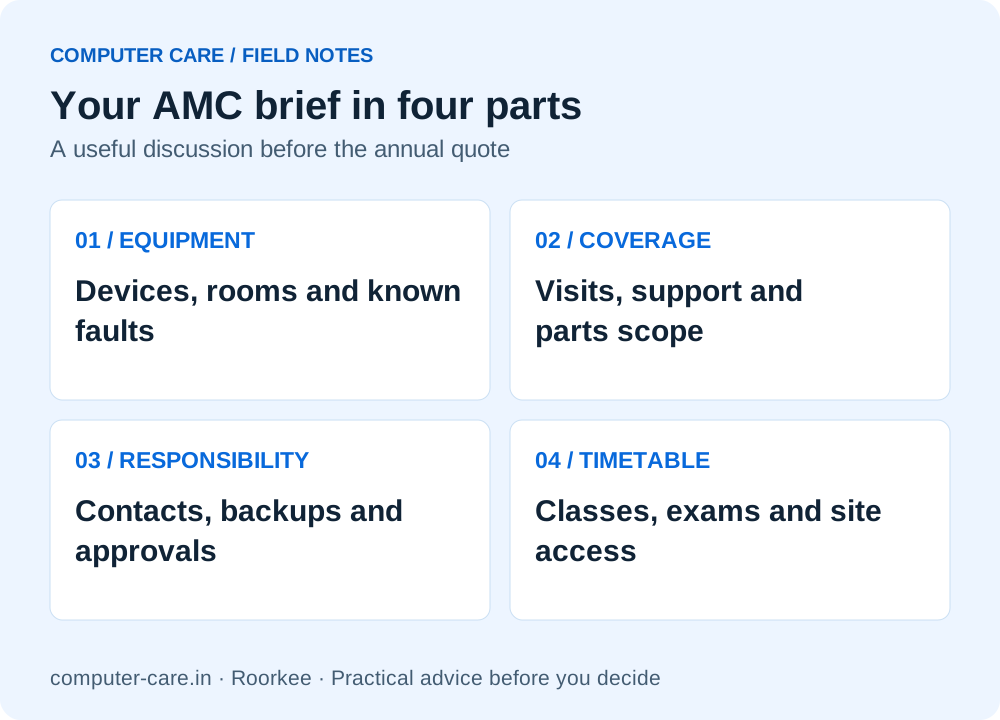
Your AMC brief in four parts
YOUR QUESTIONS, ANSWERED
Useful details before you call
Does every computer AMC include replacement parts?
No. Ask for the exact parts and exclusions in the written proposal. Do not assume coverage from the label comprehensive or non-comprehensive alone.
Can maintenance be planned outside teaching hours?
Discuss your timetable, exam periods and access arrangements before agreeing the service plan. Scheduling and availability must be confirmed for the institution.
Is backup included automatically with an AMC?
No. The agreement should identify backup responsibility, the files or systems covered, storage arrangements and how recovery is tested.
Can Computer Care support a school in Haridwar?
Computer Care serves Haridwar from its Roorkee shop. Call with the institution’s location, equipment count and priorities to discuss visits, scope and service arrangements. There is no separate Haridwar branch claimed here.
Sources & further reading
Research checked 8 Nov 2026. Community and directory questions help identify topics; technical guidance comes from the named documentation. They are not evidence of Computer Care prices, inventory or service terms.
- Microsoft: backup and restore with File History ↗Technical reference
- Cisco Meraki: access-control planning for education ↗Technical reference
- Local question themes: computer AMC in Roorkee ↗Local question research; directory content is not evidence of Computer Care’s terms